

Emails
Every candidate and contact email in one list — received in bold, sent with their receipts, the platform’s automatic emails under System — read on the right, answered inline, with a person strip that opens the record or narrows the list to them.
What it does
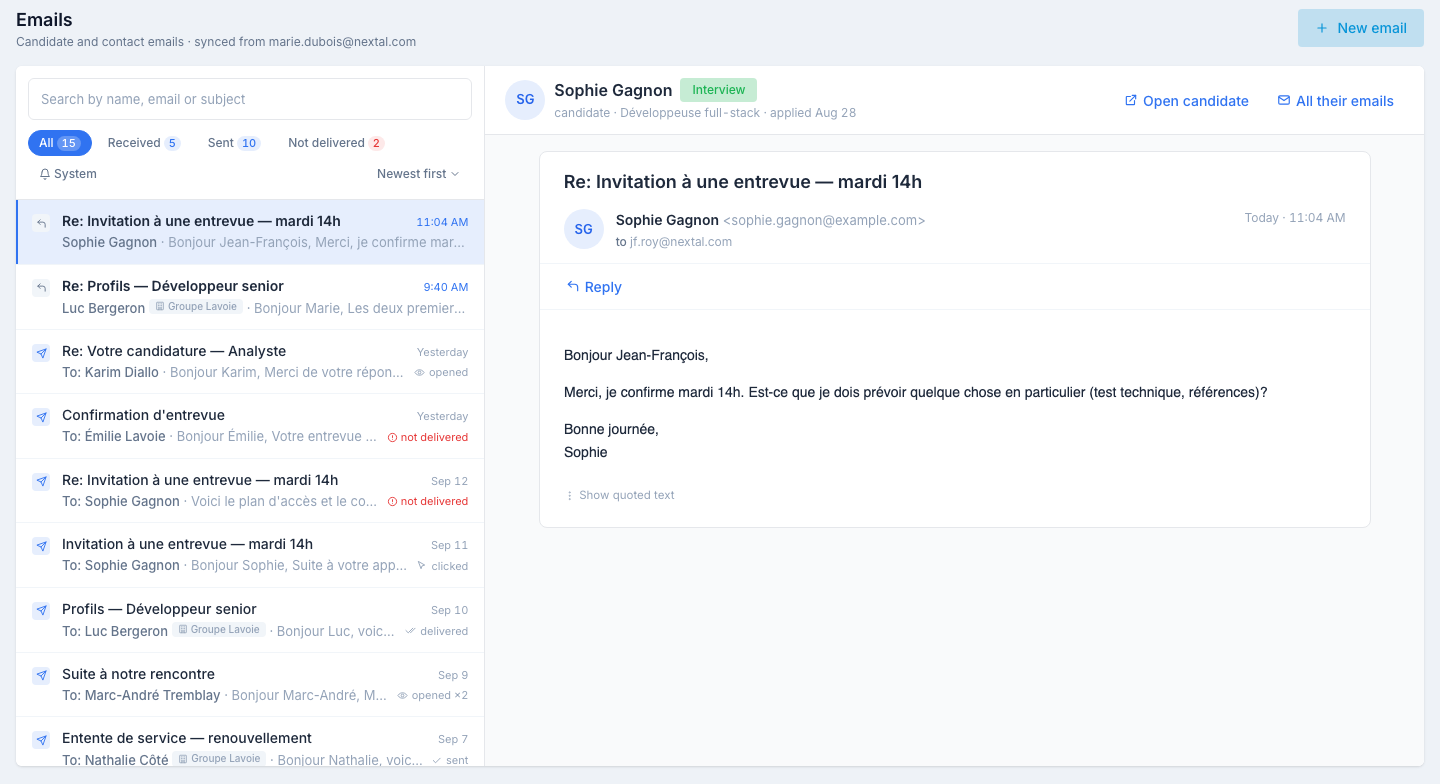
The Emails app (route /apps/mailbox) is your email history across every candidate and contact: the emails you sent from Nextal and the replies received in your synced mailbox, one row per email, newest first. It works like the Emails tab of a candidate, without being tied to one person: a list on the left, the selected email read on the right, and above the reader a strip telling you who the person is.
The list
One row per email, newest first:
- An icon shows the direction, and a received email is in bold.
- The subject, then who the email is with — the sender’s name on a received email, To: and the recipient’s name on a sent one — and the start of the text. A contact’s row carries their company as a tag.
- The date, and on the right the email’s receipt, or a paperclip when it has an attachment.
Above the rows:
- Search by name, email or subject.
- The All · Received · Sent · Not delivered chips, with their counts, and the System chip (see below).
- The Newest first / Oldest first sort.
Under the rows, The last N emails tells you how far back the list reaches; Load older emails extends it.
Receipts
Under every sent email, the state the provider reports:
| State | What it means |
|---|---|
| sent / delivered | The email left and was accepted by the recipient’s mailbox. |
| opened (×n) | The person opened the email — the number of times is shown. |
| clicked (×n) | The person clicked a link in the email. |
| not delivered | The email bounced (invalid address, full mailbox…). The Not delivered chip gathers them. |
Reading an email
Click a row. On the right:
- The person strip — who the email is with: a candidate with their status, the job they last applied to and the application date, or a contact with their company. Open candidate / Open contact / Open client lands on the Emails tab of their record. All their emails narrows the list to this person — a chip with their name appears above the rows and the chip counts follow; click it to show everyone again.
- The email — the subject and its receipt, the sender’s name and address, the recipient, the date and the full content, formatted as it was received. Attachments are listed under the text; click to open them. When an email quotes the earlier exchanges, they are folded behind Show quoted text.
An email whose address matches no candidate and no contact reads not linked to a candidate or contact in the strip: you can read it, not answer it.
Replying
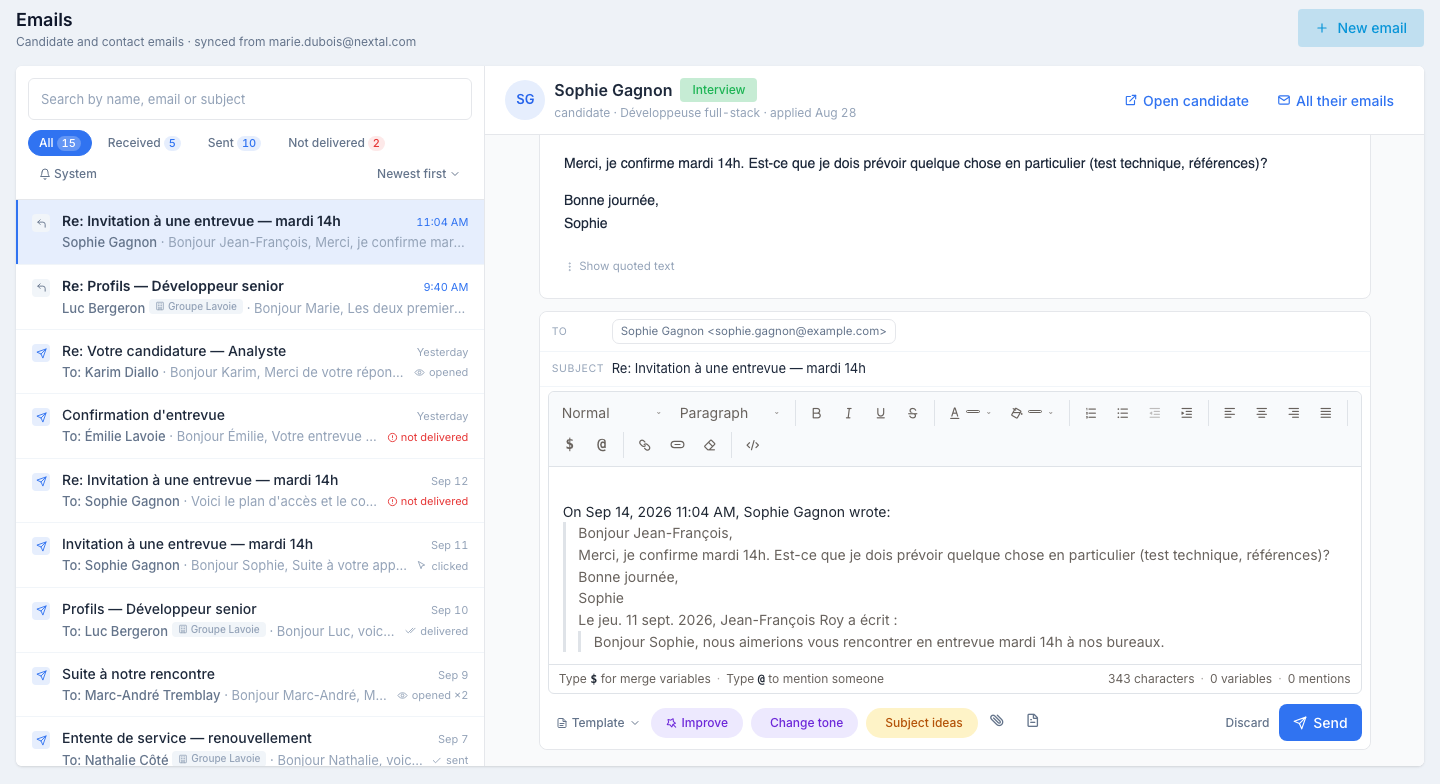
Click Reply on the open email. The composer opens right under it, with:
- the person as recipient and the subject prefixed with Re:;
- the original email quoted under your cursor, as in a mail client — write above it;
- Template to insert a template above the quote — candidate templates for a candidate, client templates for a contact;
- the AI assistant — Improve, Change tone, Fix spelling, Subject ideas — to rework what you wrote, from the candidate’s or the contact’s context;
- Attach to add files;
- Discard to close without sending.
Send stays disabled until you have written something above the quote. Once sent, the reply appears at the top of the list, selected, and its receipts update within seconds.
Sending a new email
The header offers Email a candidate and Email a contact. Each opens a small panel where you search for the person — a candidate by name, email or phone, a contact by name — then Open conversation: the list narrows to that person’s emails and the composer opens on the right, with To already filled in, the Subject, the rich-text editor, Template, the AI assistant (Generate with AI on a blank canvas, for a candidate and for a contact alike), Attach and Send. The new email then appears at the top of the list.
The System chip
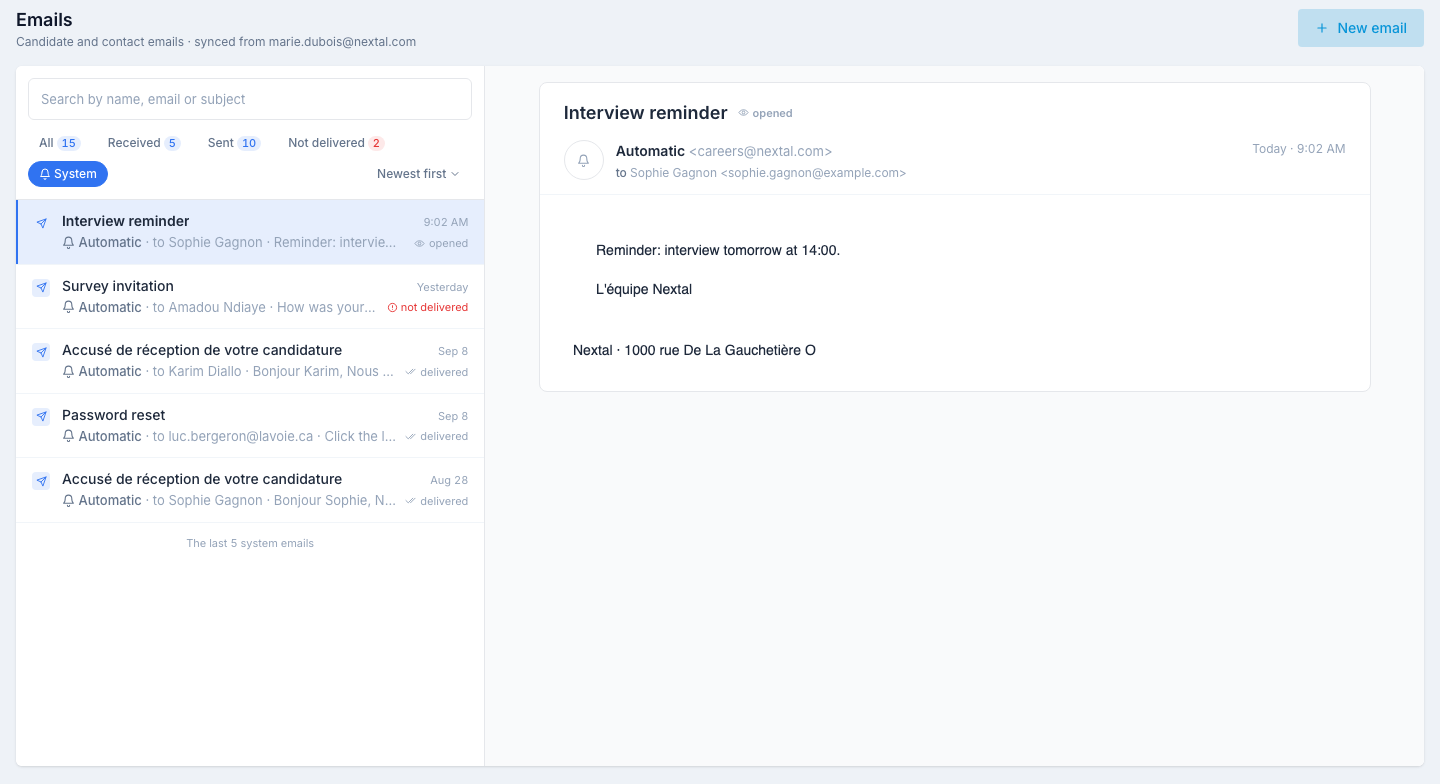
System switches the list to the emails Nextal sent on its own — application acknowledgements, interview reminders, survey invitations, password resets… Each row reads Automatic · to <name>. They are a log, not conversations: no person strip, no Reply. Search works there too.
No email address
A person whose record has no email address anymore shows a hint under the reader and no Reply button. Add the address on their record; the app follows.
The same emails, elsewhere
The Emails tab of a candidate, of a client and of a contact shows the same emails with the same reader; their Open in Emails link lands here, narrowed to that person. The Send email button on the Kanban board and on the candidate list still opens its side panel, including for a bulk send — see Send an email from the Kanban; those emails show up here like any other.
Tips
- Start the day on Received. Bold rows are what people wrote to you; the chip narrows the list to them.
- Use All their emails before answering. Reading the whole exchange with a person in one list is faster than opening their record.
- Check Not delivered weekly. A bounce is a wrong address on a record; fix the record rather than resend.